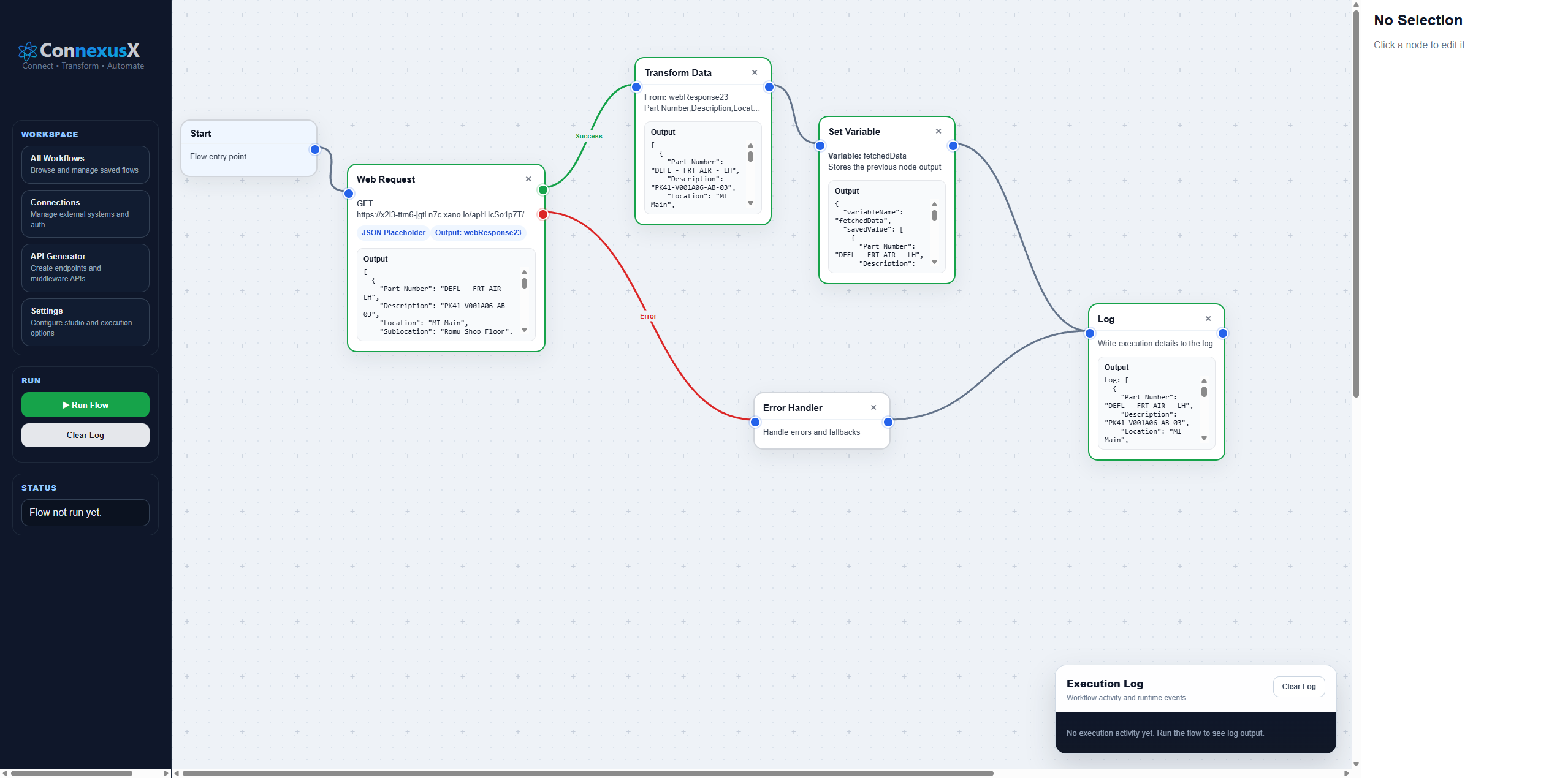
Businesses rarely run on one system. Sales, HR, operations, finance and support teams all use different platforms. ConnexusX acts as the integration layer that connects these systems, moves data between them and helps teams automate work without losing visibility.
What is ConnexusX?
ConnexusX is a visual integration and workflow automation platform. It allows teams to connect APIs, build automated workflows, transform data, handle errors and monitor the outcome of each workflow run.
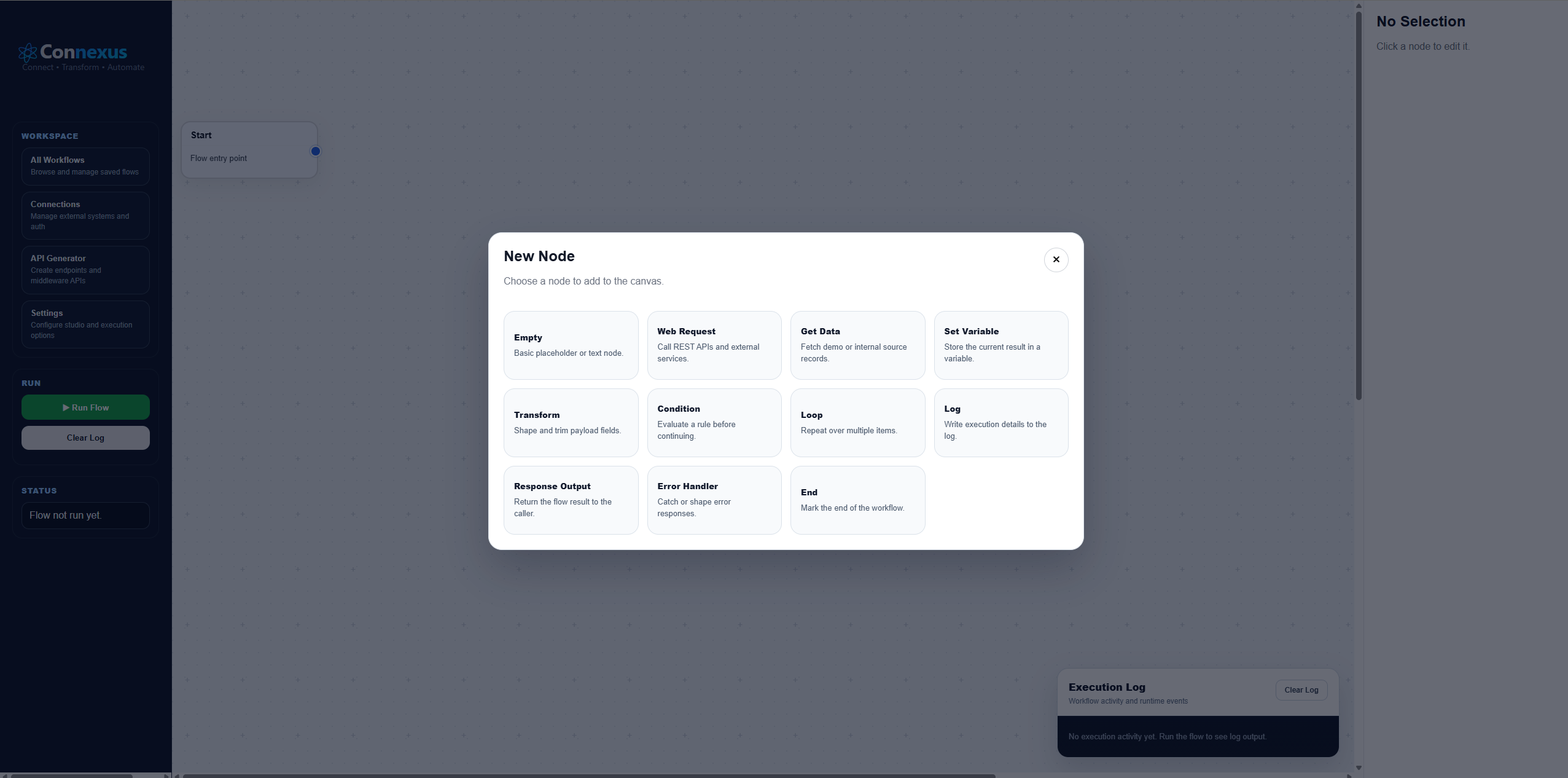
Instead of relying only on fixed, pre-built automations, ConnexusX gives businesses a more flexible way to design how their systems communicate. This is useful when a process needs custom logic, API calls, branching, reusable connections or detailed execution logs.
Why businesses need integration platforms
Most growing businesses use multiple systems. A sales team may use a CRM, operations may use ClickUp or monday.com, HR may use Workable or ZenHR, and finance may use accounting or ERP tools. When those systems are disconnected, teams copy data manually and important handovers become unreliable.
The problem
Manual data entry creates delays, errors, missed updates and poor visibility between departments.
The solution
ConnexusX connects systems through visual workflows so data can move automatically and consistently.
Key ConnexusX capabilities
Visual workflow design
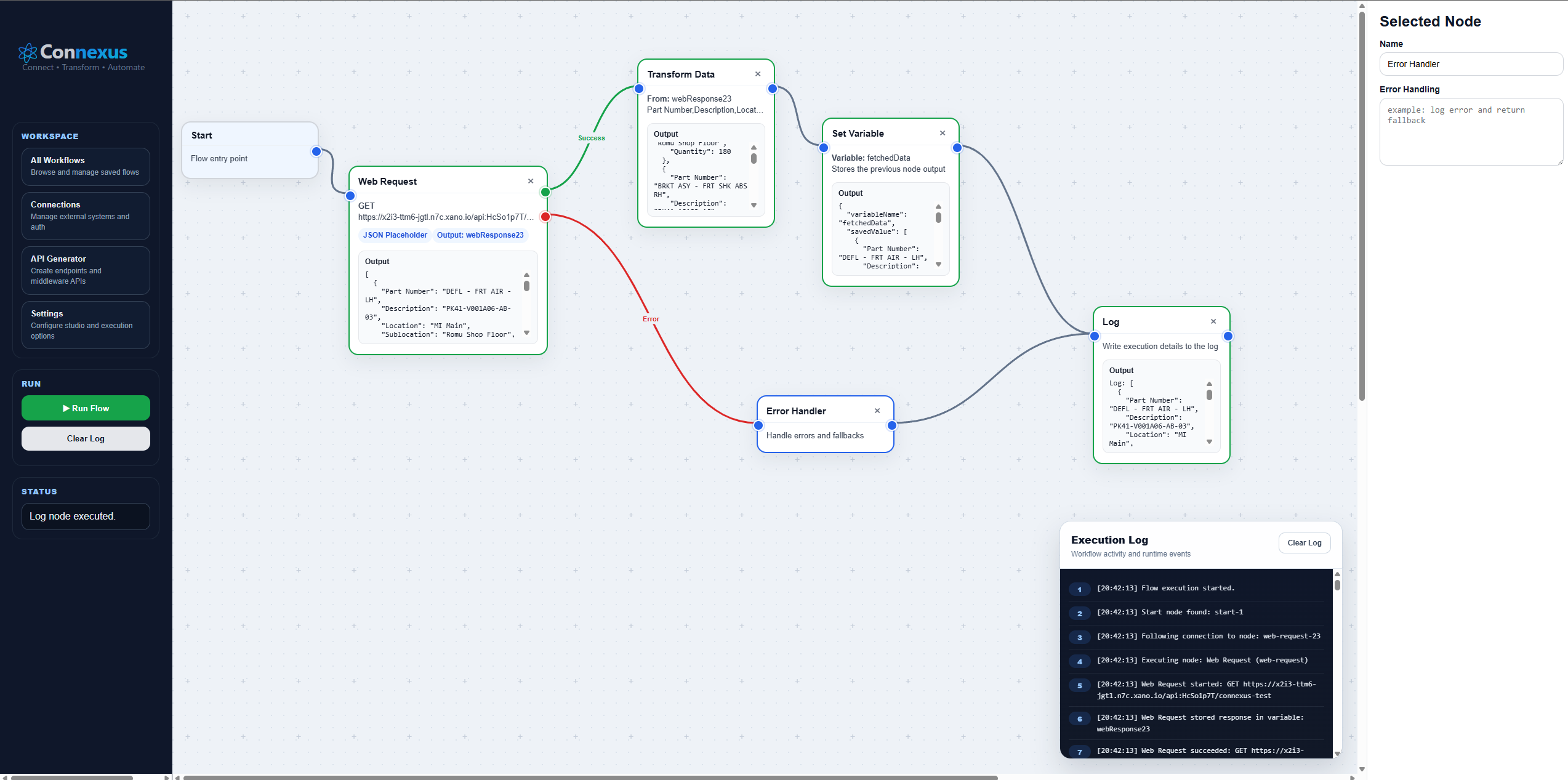
Build workflows with connected nodes so teams can clearly see how data moves from one step to the next.
API connectivity
Send requests, receive responses and connect external services or internal systems through APIs.
Branching and error handling
Route success and failure paths separately so workflows remain reliable when something goes wrong.
Execution visibility
Use logs to understand what happened during a workflow run and where attention may be needed.
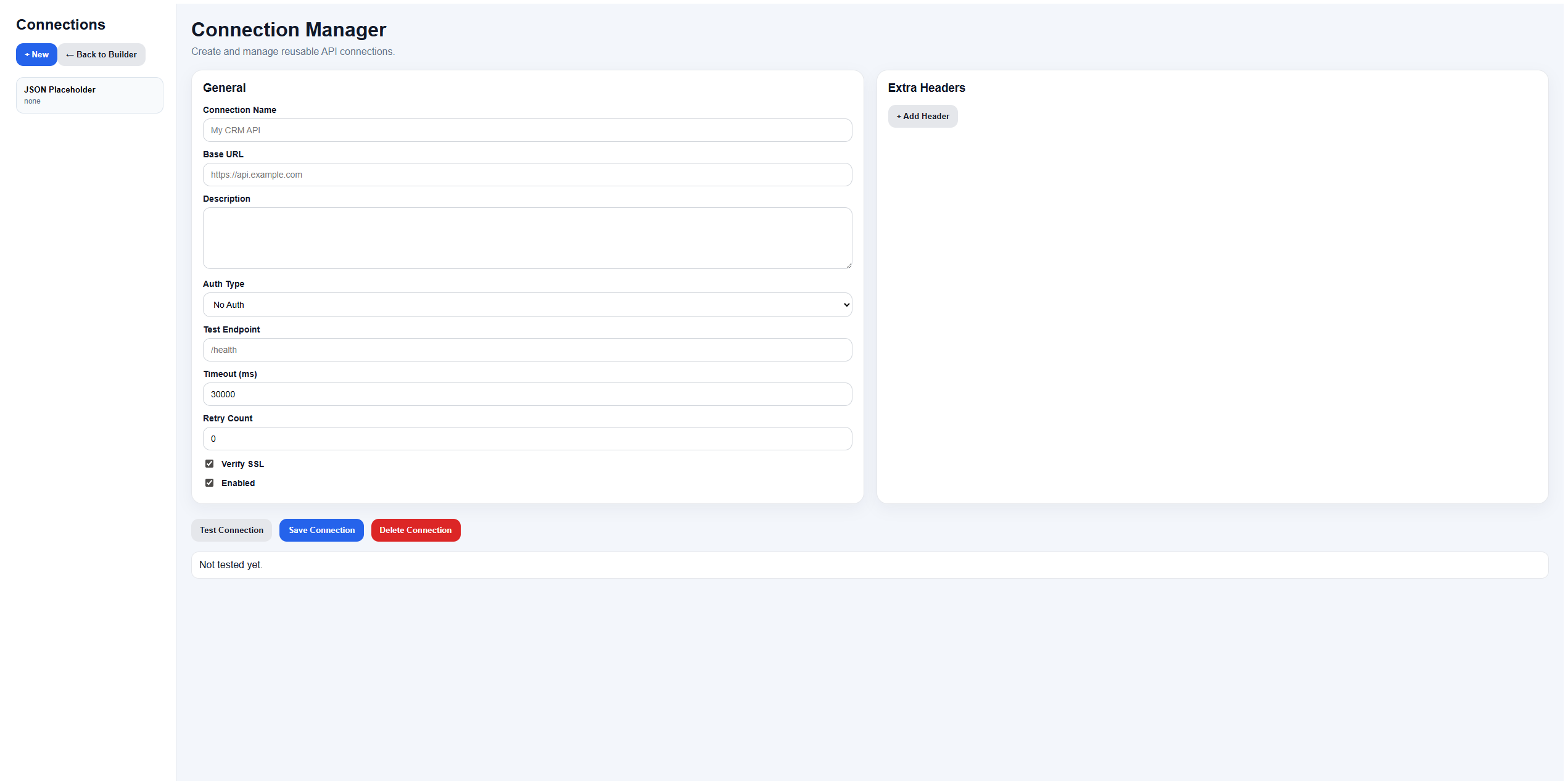
Reusable API connections
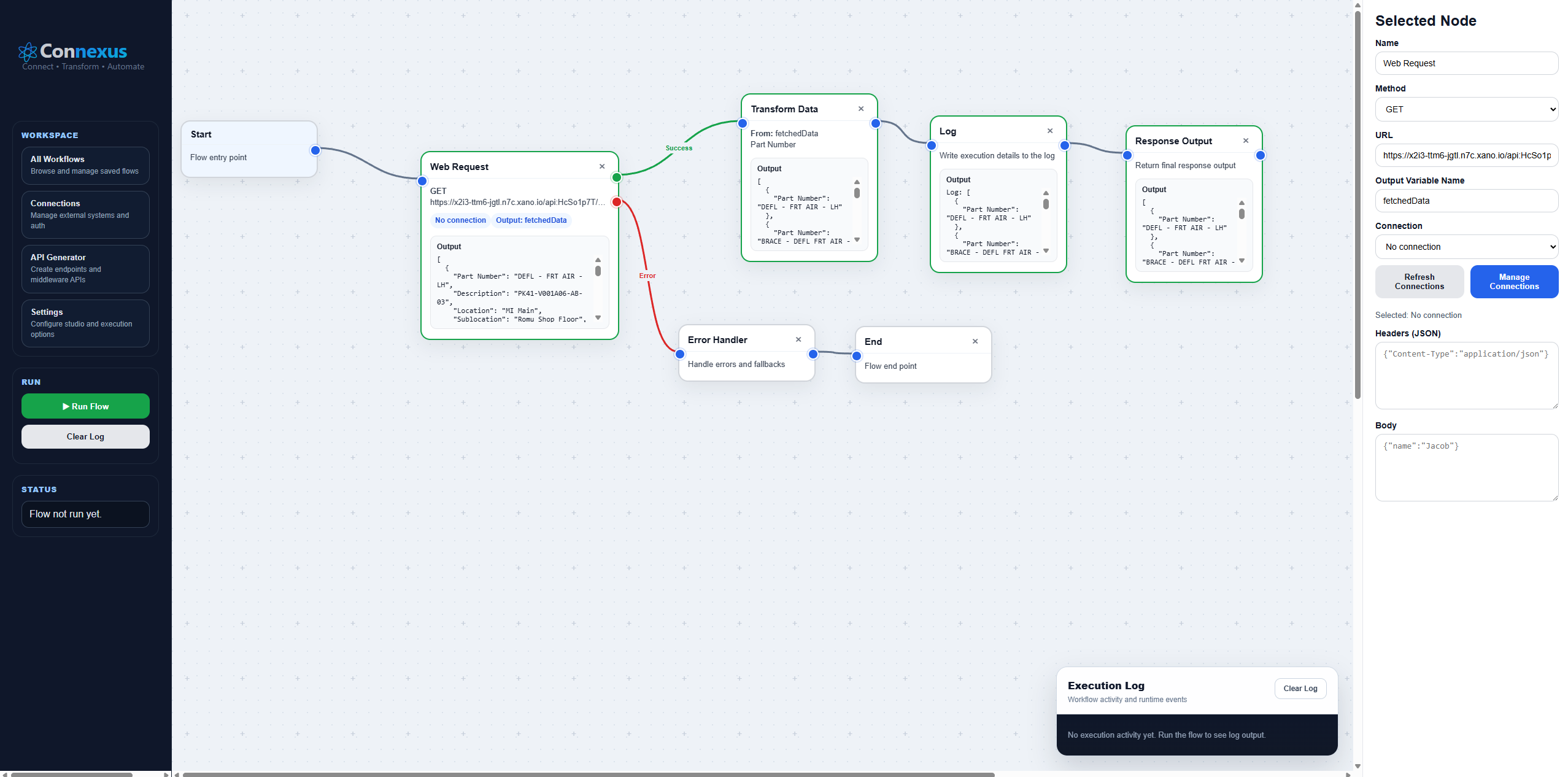
Integration work becomes easier when API details are managed once and reused across workflows. The ConnexusX Connection Manager is designed for reusable API connections, base URLs, authentication settings, headers, test endpoints, timeouts and retry options.
Execution logs
Visibility is critical for business automation. ConnexusX execution logs help teams track each workflow step, understand whether the flow succeeded, and identify where a process needs review.
ConnexusX vs traditional automation tools
Tools like Zapier and Make are useful for simple app-to-app automations. They are quick to set up and work well for standard triggers and actions. However, some businesses eventually need more control, more custom logic and better visibility over complex processes.
ConnexusX is positioned for teams that need flexible integration workflows, API-first automation, branching logic, reusable connection management and clear execution logs.
Common ConnexusX use cases
- Connecting HR systems such as Workable or ZenHR to ClickUp or monday.com.
- Creating tasks automatically from external systems.
- Syncing customer data between CRM and operational platforms.
- Building approval workflows between internal systems.
- Sending API requests based on business events.
- Creating automated reporting and notification workflows.
- Managing system-to-system data movement with logs and error handling.
Example: Workable to ClickUp integration
A recruitment team may use Workable to manage candidates while the operations team uses ClickUp to manage onboarding tasks. Without integration, someone has to manually copy candidate and hiring information into ClickUp.
With ConnexusX, a workflow can collect the hiring event, transform the candidate data into the required format, create a ClickUp task, and log the result. If the API request fails, the workflow can route to an error handler instead of silently failing.
Why ConnexusX is useful for growing businesses
As a business grows, manual admin becomes expensive. Teams need systems that communicate clearly and processes that run consistently. ConnexusX helps reduce manual work by connecting systems and automating repeatable workflows.
This creates better visibility, faster handovers, fewer mistakes and a stronger operational foundation.
Who should use ConnexusX?
ConnexusX is a strong fit for businesses that:
- Use multiple software platforms.
- Need custom workflow automation.
- Work with APIs and internal systems.
- Need more control than basic no-code automations.
- Want clearer visibility into integrations.
- Need to reduce manual data entry between teams.
Conclusion
ConnexusX is built for businesses that want better integration, stronger workflow automation and more control over how their systems connect. It helps teams reduce manual work, improve visibility and create more reliable business processes.
For companies using tools like ClickUp, monday.com, Asana, Workable, ZenHR, Salesforce or custom APIs, ConnexusX can become the integration layer that keeps operations moving.
Ready to connect your systems?
Talk to Cyprex about building practical, reliable automation workflows with ConnexusX.