
Business documents should behave like a system, not a collection of files. pdfPanda turns repeatable document work into structured workflows that teams can manage, generate and track from one place.
What is pdfPanda?
pdfPanda is a document automation platform for businesses that repeatedly create, manage or distribute PDFs. Teams can build reusable templates, supply structured data, generate documents in bulk, keep generated files organised and manage signing requests without stitching together a manual process every time.
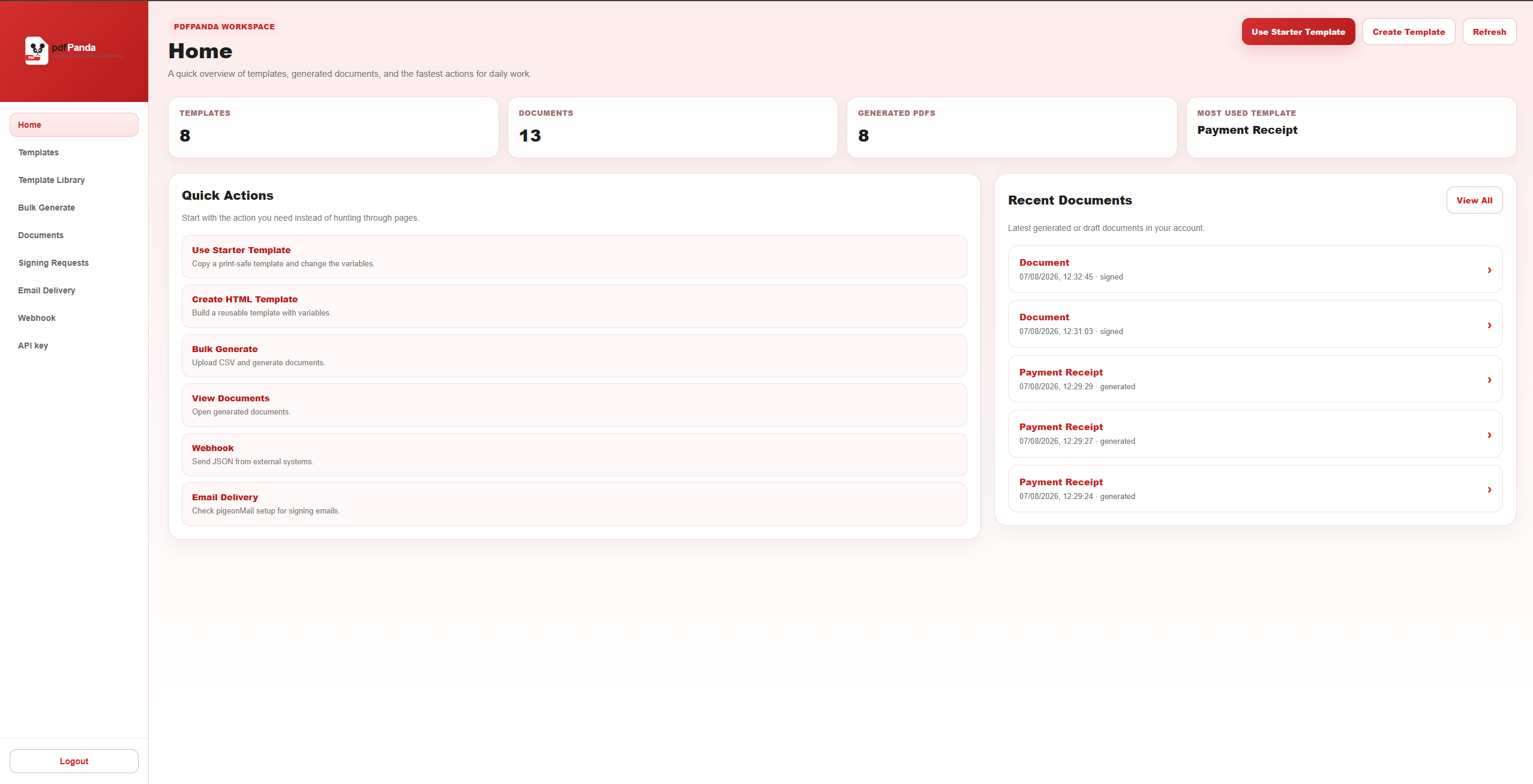
The home workspace gives users a quick view of template activity, generated documents and the actions they use most often.
How a pdfPanda workflow works
A typical workflow starts with a document design and ends with a generated or signed PDF. The important difference is that the repeatable parts are defined once and reused instead of being recreated for every customer, employee or transaction.
Without automation
Teams copy data, edit documents manually, rename files and chase versions across folders and inboxes.
With pdfPanda
Templates, structured data and document records make the same process repeatable and easier to scale.
Reusable templates and live document design
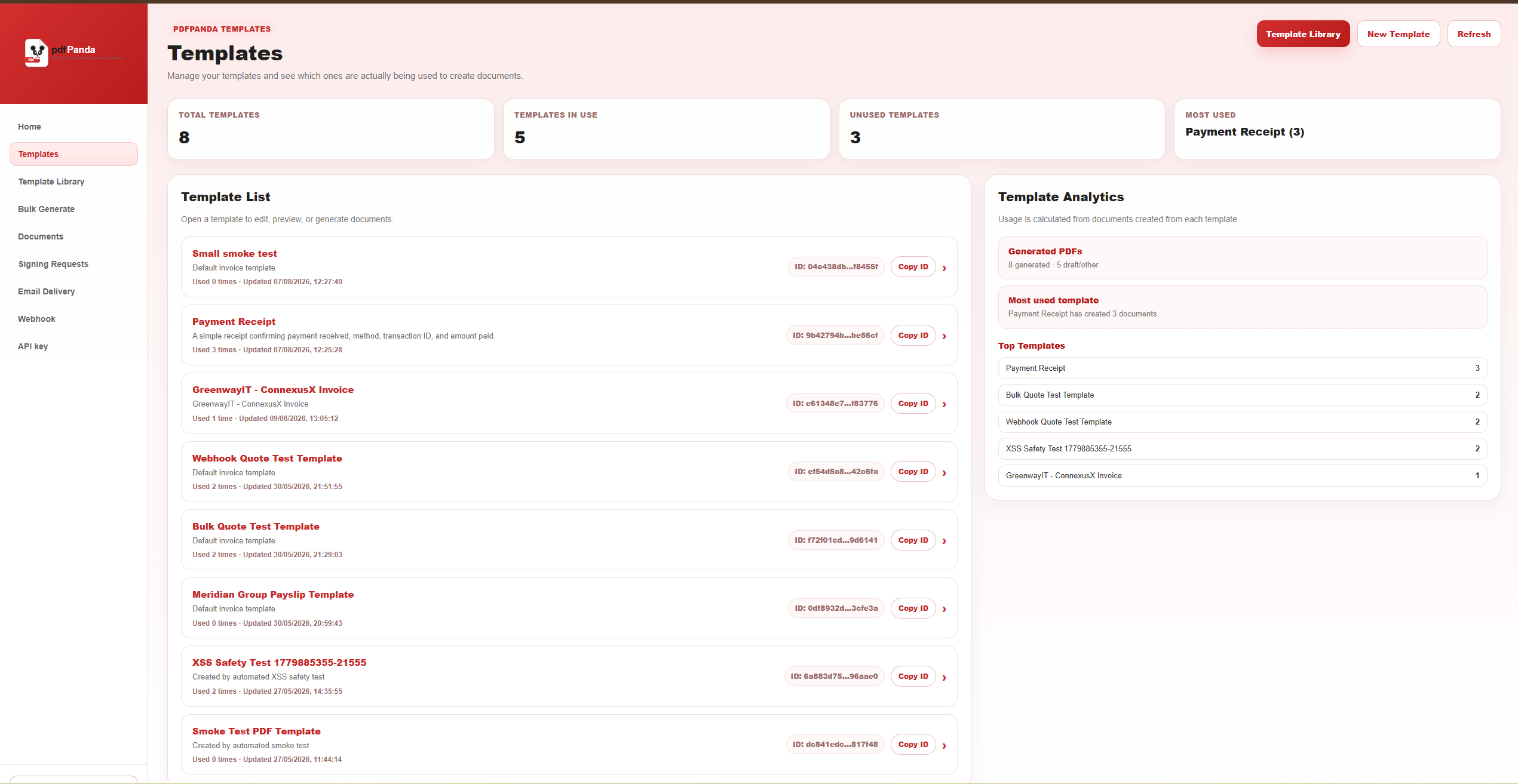
Templates are the foundation of automated PDF generation. pdfPanda keeps them in a dedicated workspace where teams can see the templates available to them and manage the document designs used across the business.
Build a template and preview the result
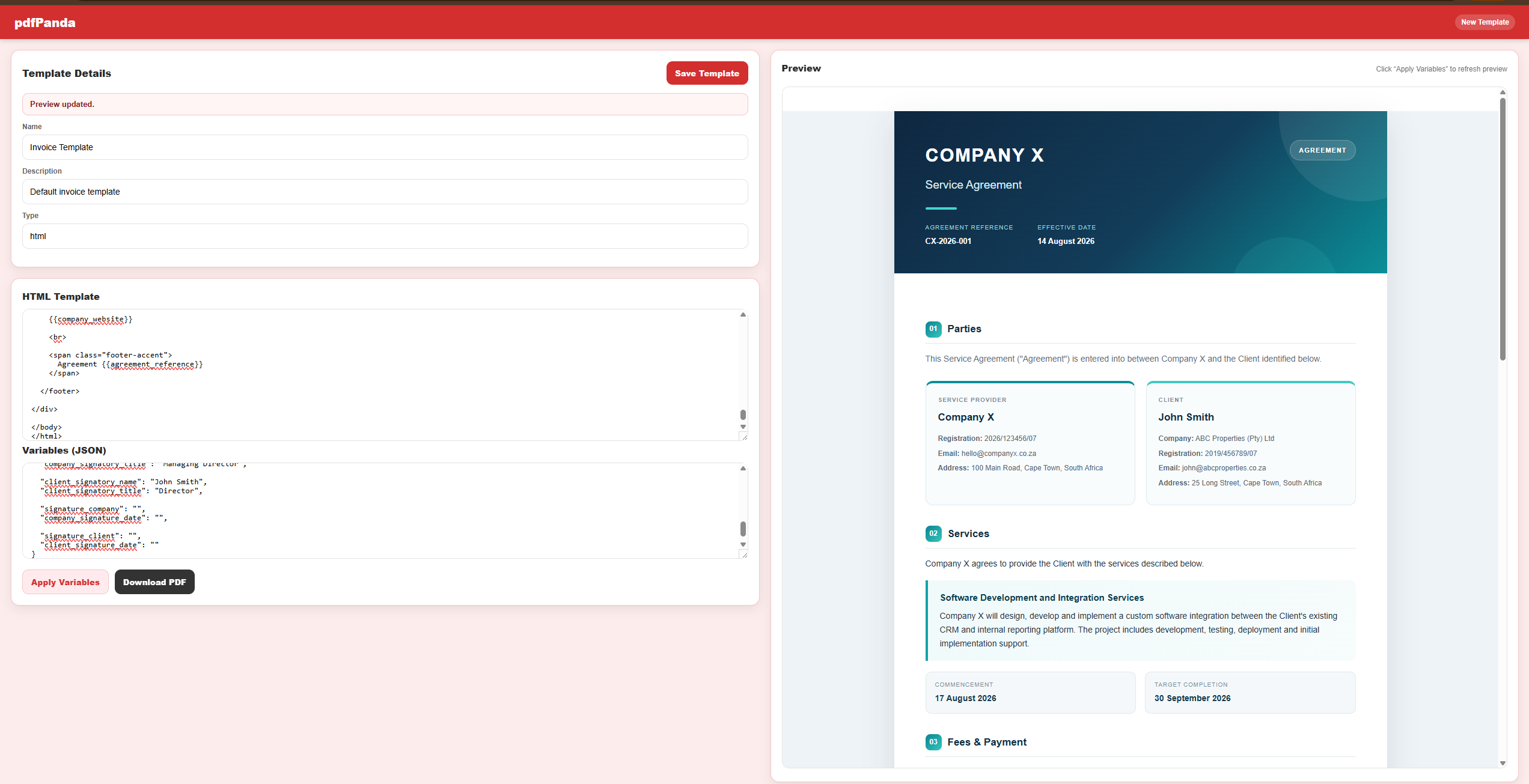
When creating a template, teams can work with the document layout and structured test data while previewing the result. This makes it easier to validate variables, formatting and the final presentation before documents are generated for real users or customers.
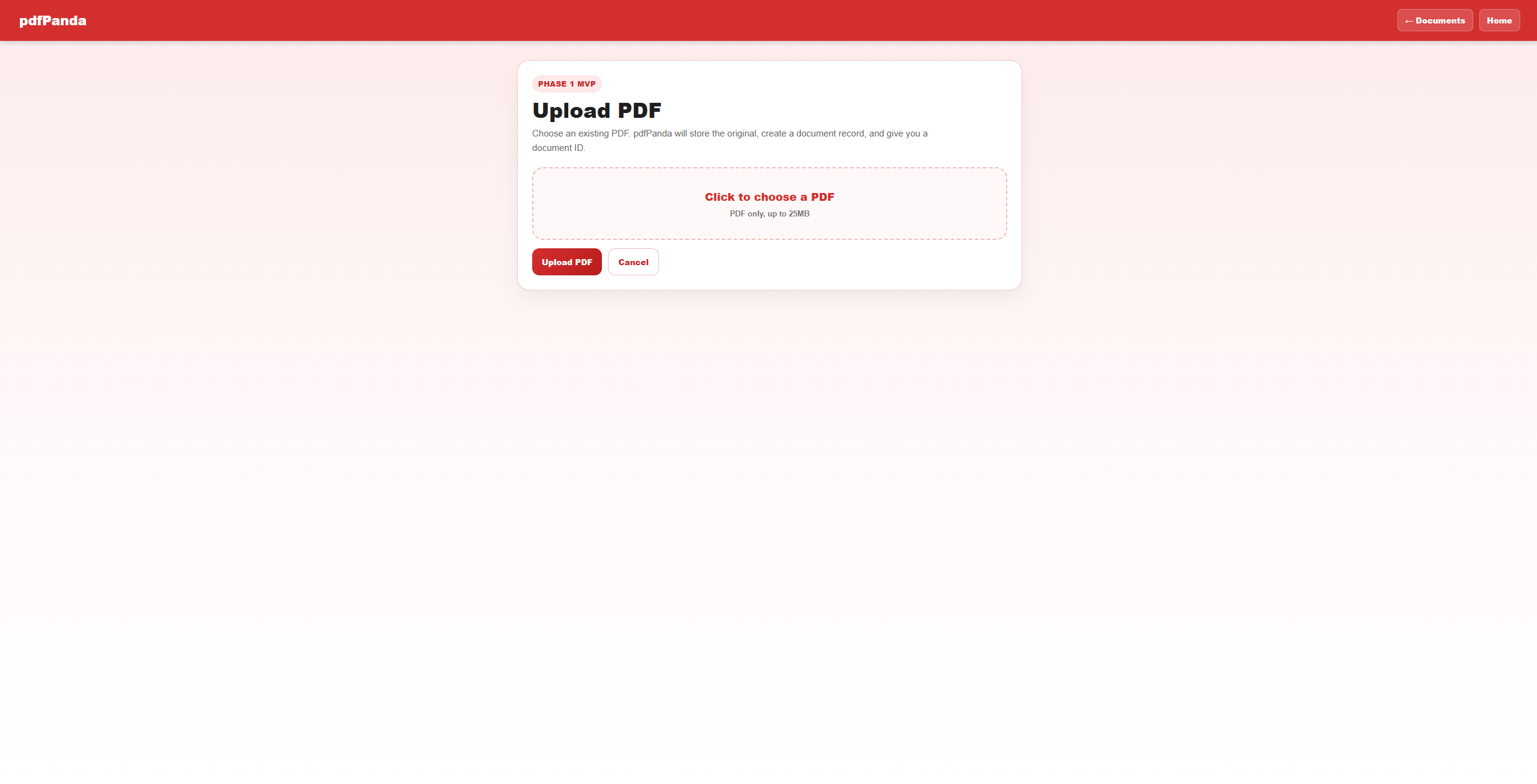
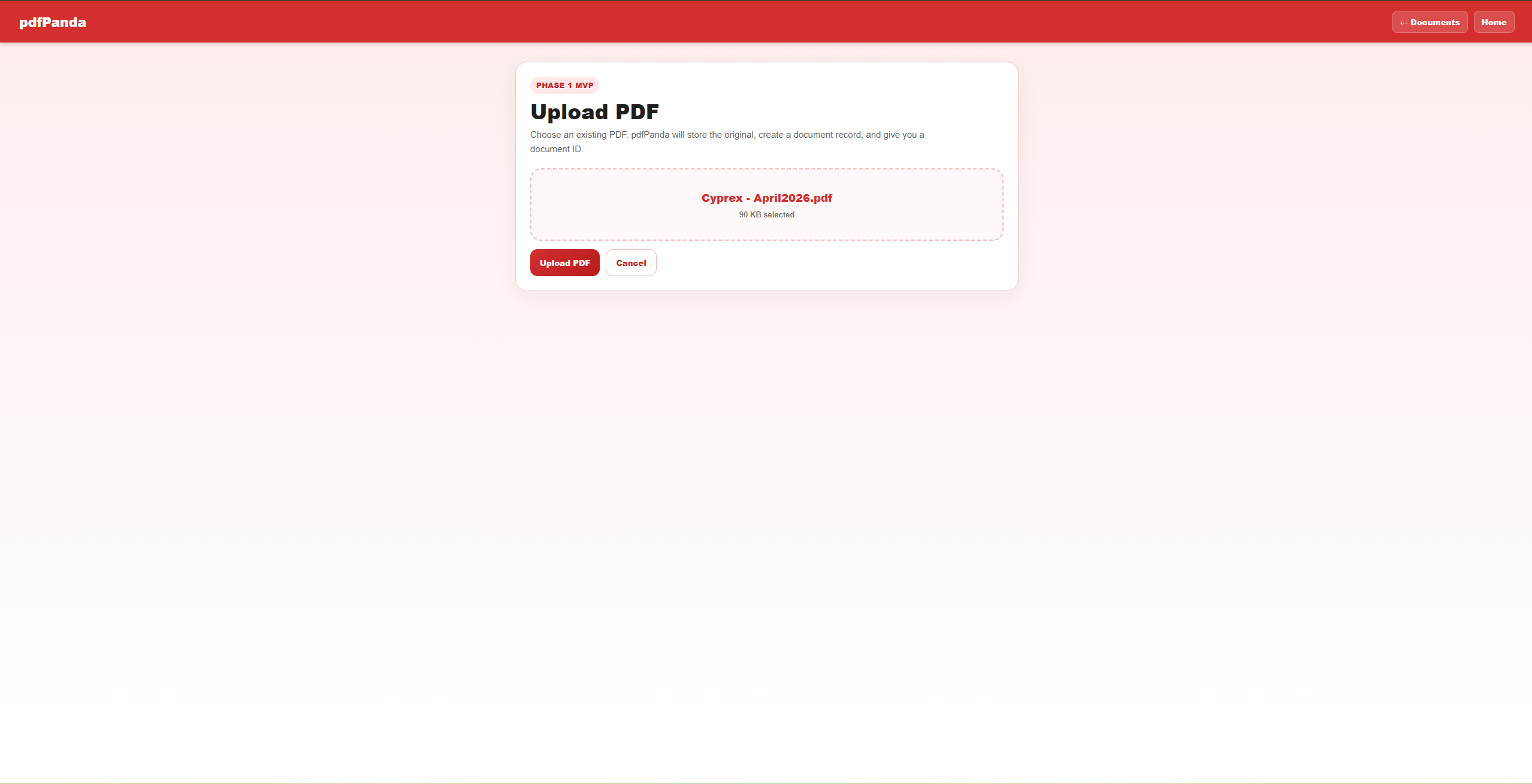
Upload an existing PDF into the workflow
Not every document starts as a generated template. pdfPanda can also bring an existing PDF into the platform, which is useful when a business already has an approved contract, form or document that needs to move into a managed workflow.
Generate PDFs in bulk from structured data
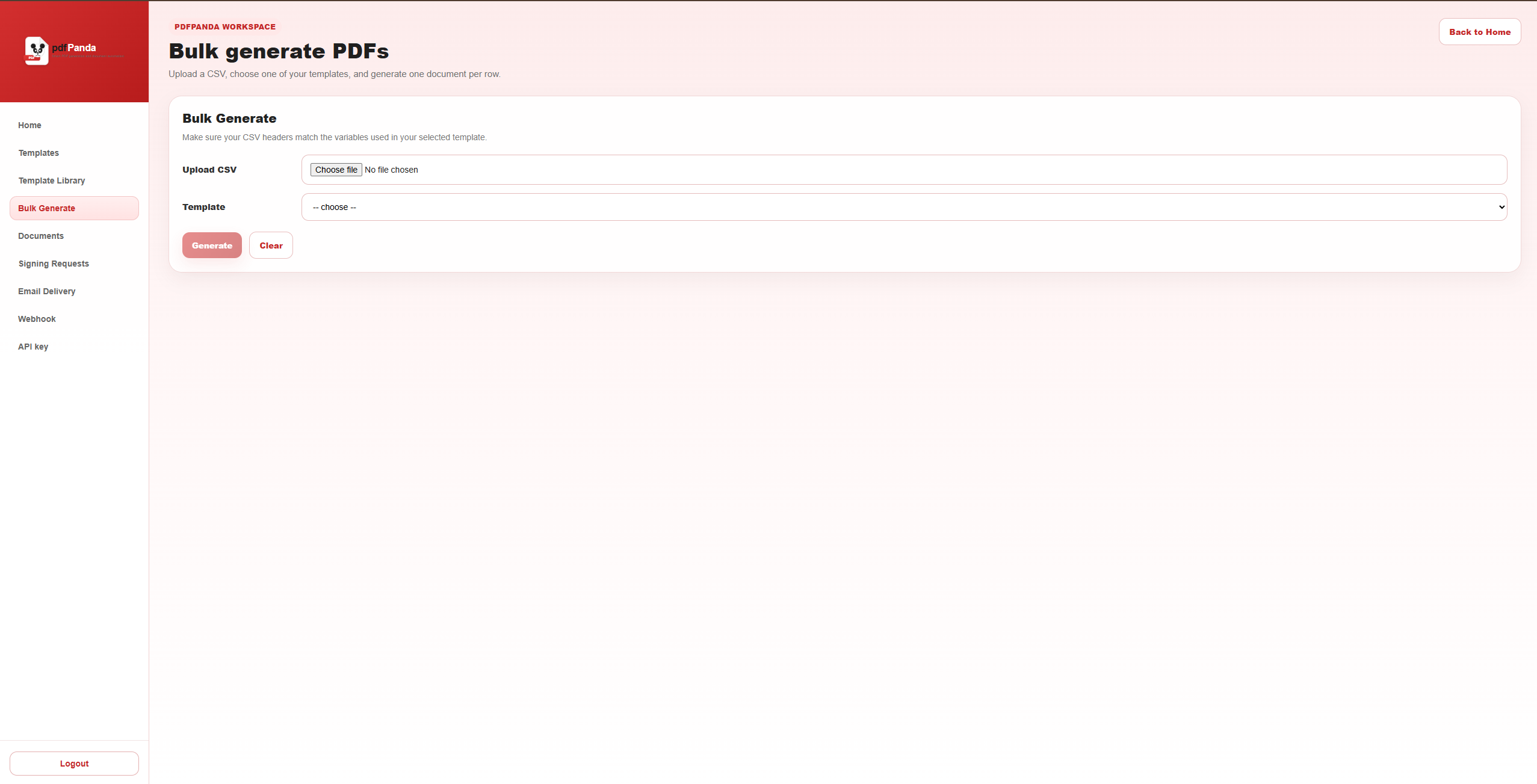
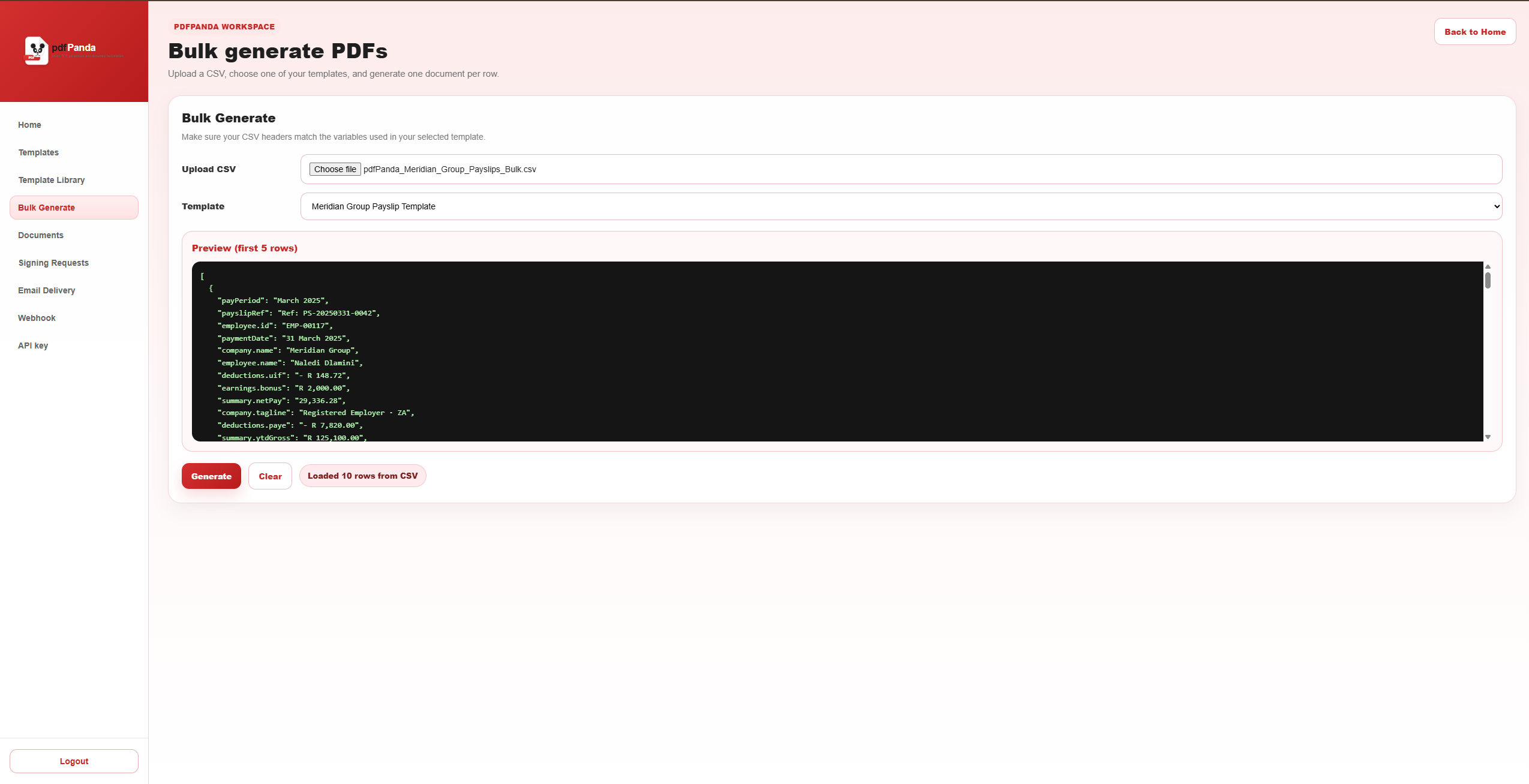
Bulk generation is designed for high-volume document work. A team can select a template, upload CSV data and use the rows in that file to produce a set of consistent PDFs instead of creating every document individually.
Keep generated documents in one place
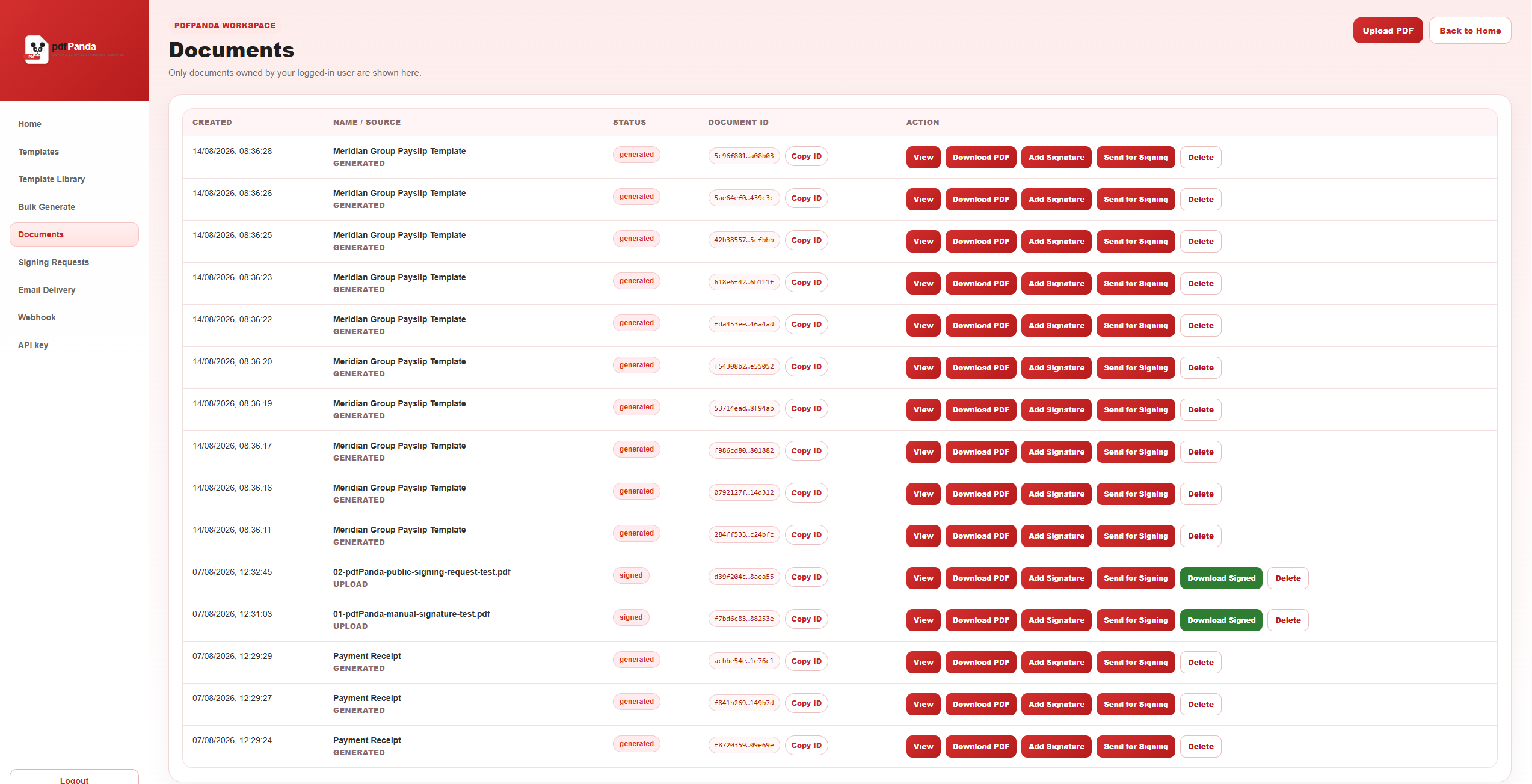
Document automation is more useful when the output can be found again. The Documents workspace gives teams a central record of generated files, their status and the actions available for each document.
Manage document signing requests
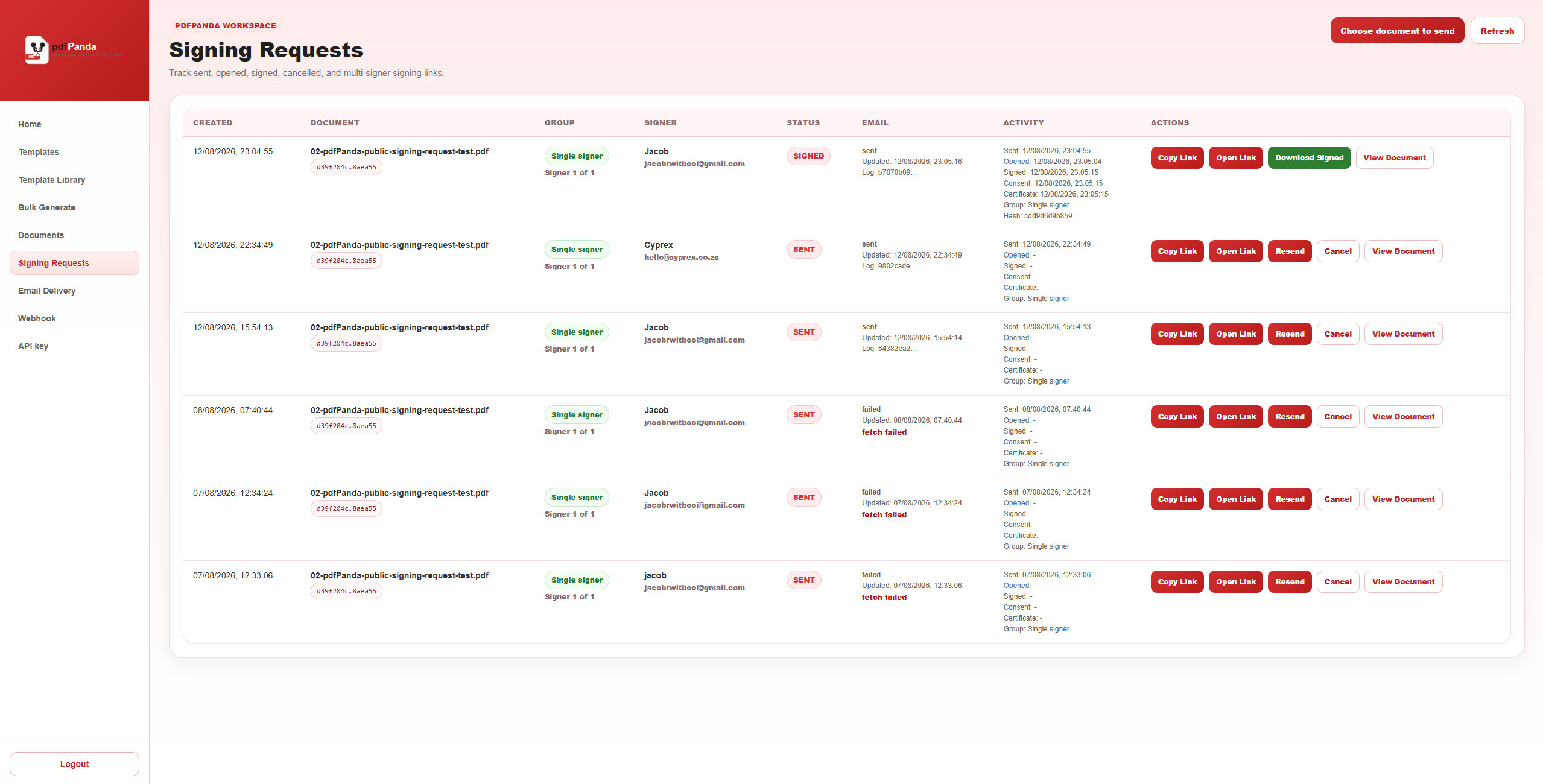
pdfPanda also supports signing workflows so a generated or uploaded document can move beyond creation into approval and completion. Teams can see signing requests, monitor their progress and keep the signing activity connected to the document record.
Key pdfPanda capabilities
Template-based generation
Create reusable document layouts for invoices, contracts, reports, certificates and operational documents.
Structured variables
Populate documents with predictable values such as customer details, dates, line items and totals.
Bulk generation
Turn rows of CSV data into a batch of consistently formatted PDF documents.
Document management
Keep generated and uploaded document records visible instead of losing output across local folders.
Signing workflows
Send documents into a signing process and monitor the request from a central workspace.
API-ready automation
Connect document generation to the systems and workflows that already hold your business data.
Common pdfPanda use cases
- Invoice and statement generation from accounting, ERP or CRM data.
- Contracts and agreements generated from approved business templates.
- Employee onboarding packs and HR documents.
- Client reports, certificates and recurring operational documents.
- Bulk payroll or customer documents generated from CSV data.
- Documents that need to move from generation into a signing workflow.
Who should use pdfPanda?
pdfPanda is a strong fit for organisations that:
- Create the same kinds of documents repeatedly.
- Generate PDFs for many customers, employees or transactions.
- Need consistent branding and document layouts.
- Work with structured data, CSV files, APIs or internal systems.
- Want generated and signed documents to be easier to track.
- Need to reduce copy-and-paste administration around documents.
From document creation to document workflow
The value of pdfPanda is not simply that it creates a PDF. It brings the surrounding process together: the reusable template, the data, the generated file, the document record and the signing request can all become part of one controlled workflow.
That gives businesses a cleaner foundation for automating invoices, reports, contracts, onboarding packs and other document-heavy processes as their volume grows.
Ready to automate your documents?
Talk to Cyprex about using pdfPanda for templates, bulk PDF generation, signing workflows and document automation.